
Creating a fancy Free Fire username is not difficult if you know how to use fancy fonts, special characters, and text styles. You can create something unique, bold, clean, or even professional looking without an app. Most of the effort involves choosing a username, styling it with a free name generator, and then copying it into the game.
In this guide, you will learn how to create a Free Fire stylish name for free, which special symbols you can use, and how to solve some of the name problems you may face. This information will be helpful regardless of whether you are a new player or just want to change your name in the game.
What Is a Free Fire Stylish Name?
A Free Fire stylish name means using elegant letters, symbols and characters as your game name. It makes your name unique and provides you with a personal touch.
For example, instead of just writing King, you can make it impressive like below:
- King
- 亗King亗
- ꧁King꧂
- ★King★
As seen above, just few symbols can make your name different. But keep in mind that not all special characters will work on every device or version of Free Fire. Therefore, do the checking before finalizing your nickname.
How to Create a Free Fire Stylish Name (Simple Steps)
Creating a stylish name is as easy as following a few simple steps.
Step 1: Choose Your Name
You must choose a name, either real or fake, for Free Fire. This can be your real name, gaming name, initials, or even a word representing your playing style.
Examples include: Shadow, Hunter, King, Queen, Sniper, Rider, etc. Short names are generally better for styling because they create more space for unique characters.
Step 2: Find a Free Name Generator
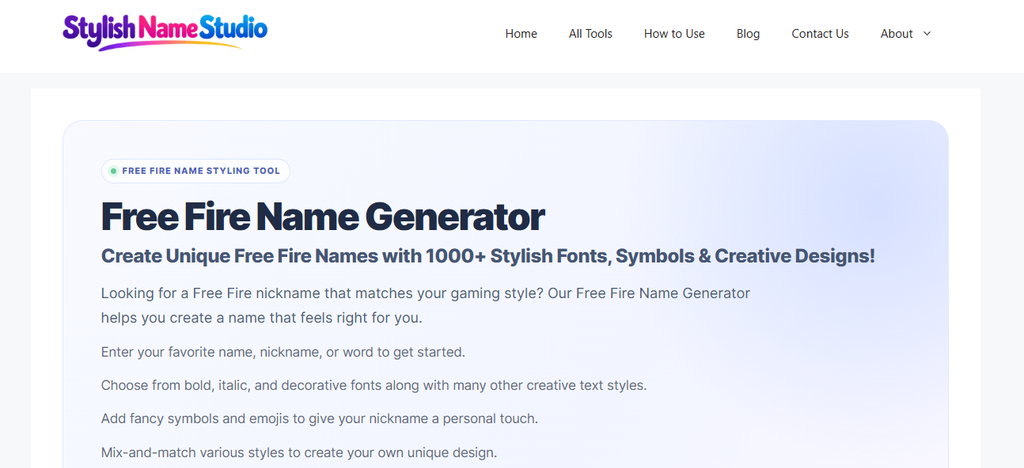
You can find a free Free Fire name generator online. Choose a generator that allows you to type in your name and see different styles without paying.
After entering the name you want to use, take a look at the different fonts and formatting options available to you in the generator. Most generators provide options such as bold font, cursive script, small text, or special decoration.
Step 3: Select a Stylish Font
After this, you’ll need to pick a font that looks cool and is easy to read. You could try out bold letters for a bold effect, or cursive letters for something more imaginative.
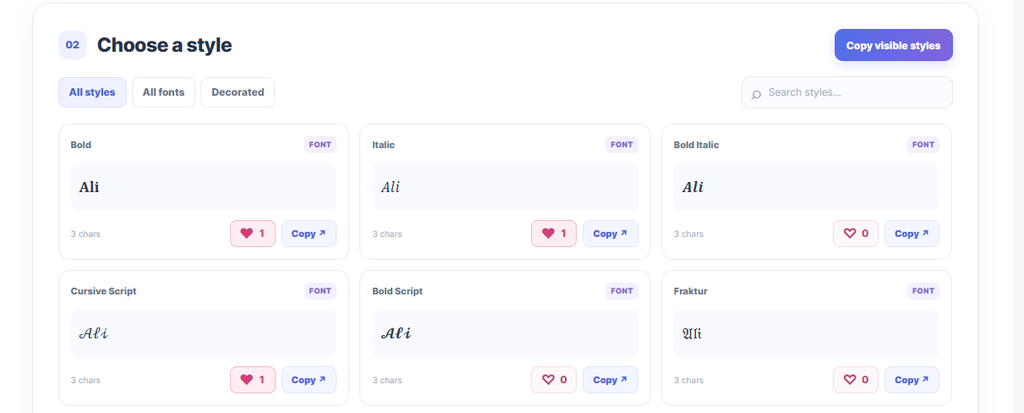
For example, here’s how Ali would look with different font styles:
- 𝐀𝐥𝐢
- 𝘈𝘭𝘪
- 𝓐𝓵𝓲
- 𝔸𝕝𝕚
Remember that these examples are for decorative purpose only, and may not work in the game because some characters might show up as empty boxes on some devices.
Step 4: Add Special Symbols
After you’ve picked your chosen font, you can pick one or two characters to add some extra flair. Characters can make a name look different while still being readable.
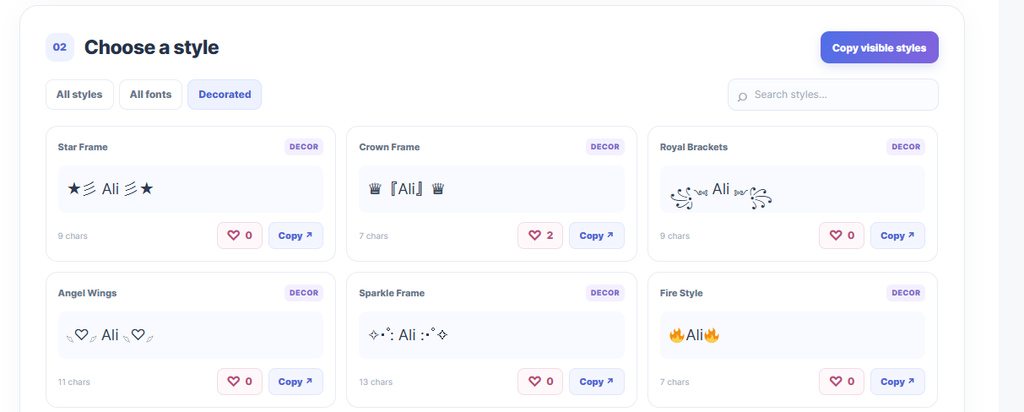
Here are some characters you can consider:
- Stars: ★ ☆ ✦
- Decorative symbols: 亗 〆 乂
- Frames: ꧁ ꧂
- Others: ༒ ☬ ツ
You can for instance create usernames like 亗Rider, 乂Shadow, or King★. Keep trying different combinations until you come up with something you like.
However, don’t use too many symbols as a simple name is often easier to remember and may even have a higher chance of fitting in the name field of the game in question.
Step 5: Copy Your Favorite Name
As soon as you identify a type that pleases you, use the copy function on the generator. If the generator doesn’t allow you to copy, click your mouse, select the name/word(s), and copy it.
Now, paste your name onto a notepad or text file so that you can see how it will appear. At this stage, you will be able to detect unnecessary spaces, unusual characters, and typographical errors.
Step 6: Change Your Name in Free Fire
Once you have settled on the name you would like to use, go to Free Fire and follow the steps below:
- Launch the game, then select your profile.
- Look for the edit icon or pencil symbol next to your current name.
- Now navigate to the field where you can change your name.
- Type in the name you want to use.
Make sure to check the screen to ensure that everything looks good and confirm the changes. Garena states that players can choose to change their names through their profiles in exchange for diamonds or a Name Change Card.
Please verify the charges indicated in your game prior to confirming.
Tips for Creating the Best Free Fire Stylish Name
A nice stylish nickname should be appealing while being easy to read. It is important to have these points in mind when designing a nickname.
- Keep it short: A simple short name will be easy to memorize and also leave more space to decorate it.
- Use simple characters: Simple characters will probably be shown better than uncommon ones.
- Choose a readable font: Your friends should easily identify your name.
- Make it unique: Choose your nickname or favourite word and not copy and paste someone’s nickname.
- Finally, check it before you confirm: Make sure you enter your nickname in the game and nothing is wrong.
Also, do not use offensive words and names that are similar to real player names or those of official players’ accounts.
Why Is Your Stylish Name Not Working?
There are several reasons why a name may appear to work perfectly in a name generator, but when you go to use it in Free Fire you find there are issues.
The name is too long. Special characters and fancy letters tend to take up additional space. If a name is rejected on the game use fewer characters and/or shorten the actual name.
There are unsupported characters used. Some fonts may display differently on different devices. If you are seeing empty boxes you will need to replace the unsupported characters with simple ones.
Your name contains restricted words. If the name is rejected by the game try different words altogether or remove the offending letter.
The name is already used or rejected for some other reason. Try changing the spelling or adding a simple character to create a unique name. Follow what the game tells you in the message to identify the problem.
Do not assume that every name you find on a name generator will work in the game. The ultimate test is if the name works in the field provided by the game itself.
Final Words
Making a stylish name for Free Fire is easy and lets you customize your name in the game. To make a stylish name for Free Fire players need to choose a short name, and then they can use a free generator to create different fonts for their Free Fire names. They just need to copy their desired name style in the name change feature on Free Fire and check to make sure it works.
For doing this properly, players need to choose names that are easy to read, do not have too many decorations and test the names before finalizing them.